

Check billing, plan assignment and credits
Review the current account terms without confusing subscriptions, credits and product slots.
Check the selected workspace first. Where you have billing access, open Settings → Billing. This page is normally available to the workspace owner; ask the owner to review it when it is not shown to you.
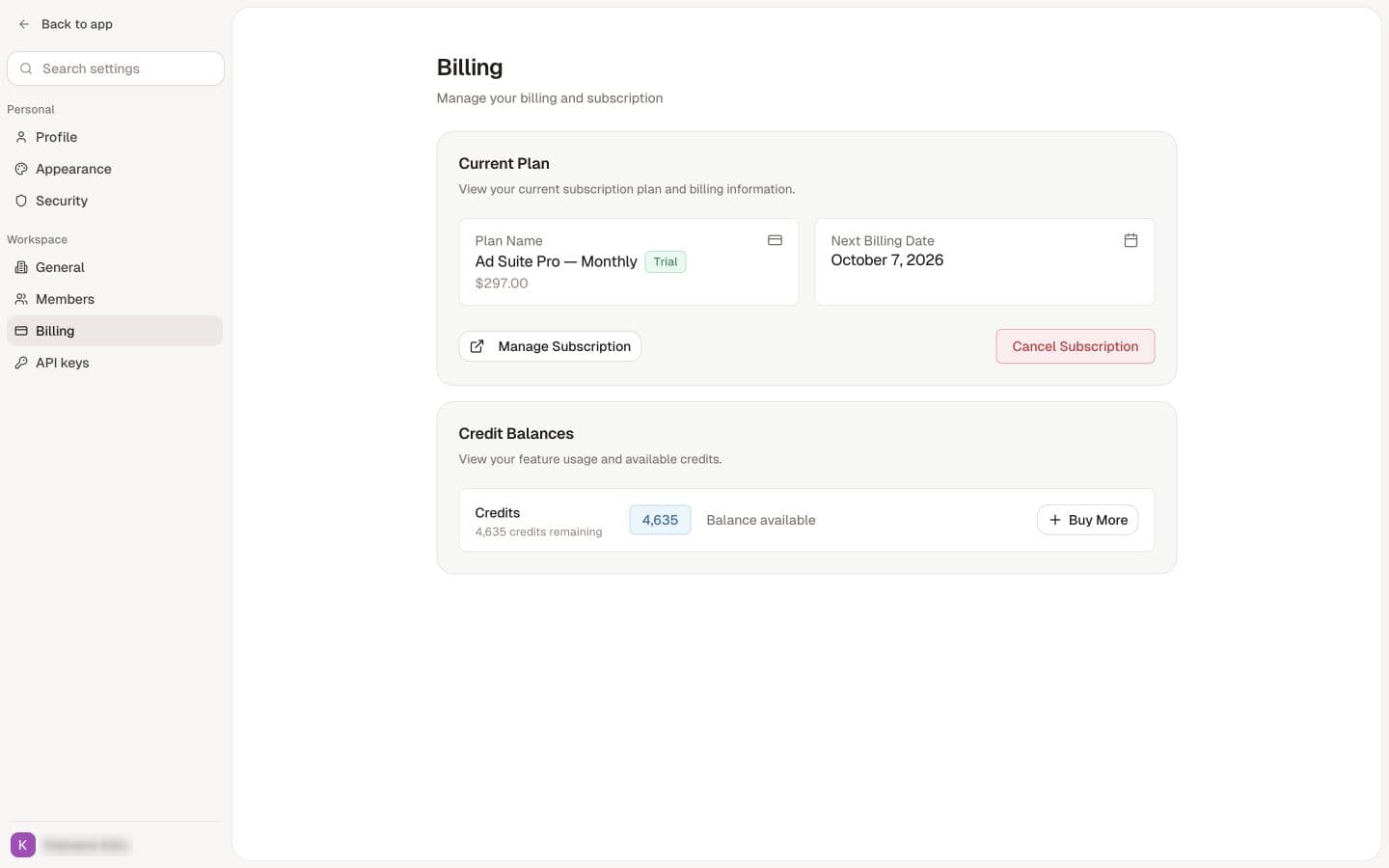
What to verify
- The plan or subscription belongs to the intended workspace or billing arrangement.
- The purchase and sign-in email addresses match the expected account.
- The current credit balance and product allowance are sufficient for the task.
- The renewal or cancellation terms shown for the actual subscription.
Use the current billing interface and purchase terms for amounts, renewal dates and included credits. Do not apply outdated plan names or allowance tables to a current Sellify purchase.
Credits and renewals
Credits included with a plan are granted per billing period and reset when the period renews: unused plan credits do not carry over, and the new period starts with its full allotment. Annual plans release their credits month by month on the same basis. Credit packs bought under Add credits never expire and are used only after the period's plan credits. See When do my credits reset? for the details.
See Understand credits for metered actions and product limits. The sidebar Add credits button opens the available purchase options; inspect the amount and price before purchasing.
Paid but no access
Check the receipt, account and intended workspace. Ask the team to reconcile the purchase or assignment before paying again. A course, workshop registration, pilot credit grant and software subscription can be separate arrangements.
Manage or cancel a subscription
Use the billing-management option available for your account and follow its cancellation flow. Read the effective date and retain the confirmation. Check whether other subscriptions or third-party services remain active.
Deleting a workspace, signing out or stopping use is not confirmation that every recurring charge has stopped. Refunds and access after cancellation depend on the applicable terms; ask the team about your specific purchase if unclear.
If the page cannot load or the expected subscription is missing, report the workspace, receipt reference and exact problem. Never send full card details.