

Find and choose a buying angle
Generate angles for a product, review who they speak to and choose a direction for your ad.
A buying angle is a reason a particular customer might care about your product. The same bottle could appeal to a commuter who wants something easy to carry or a hiker who needs enough capacity for a day out. The product stays the same; the emphasis changes.
Your goal is to choose a direction that fits both your customer and the facts about your product. An AI suggestion is a starting point to review, not proof that an ad will perform.
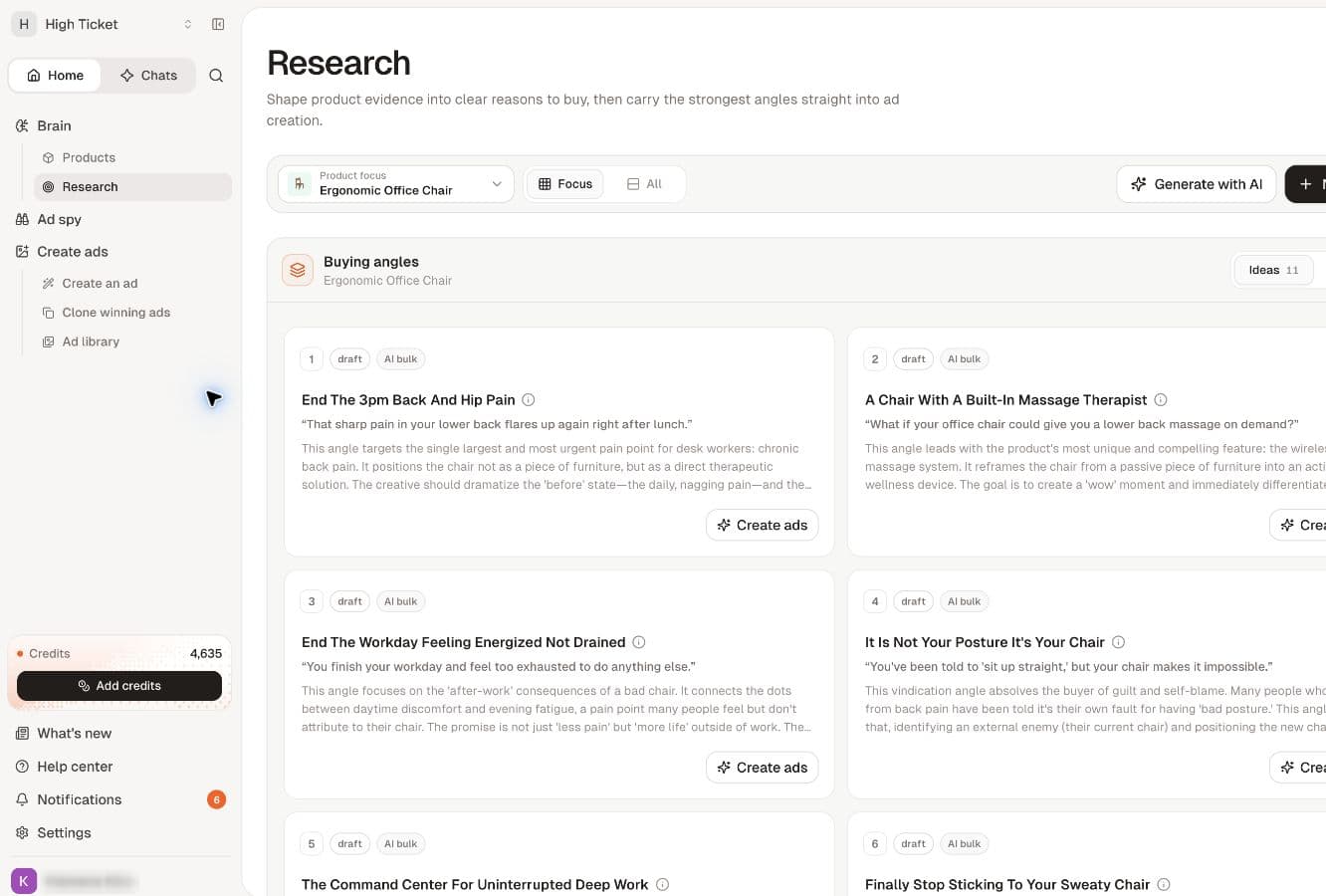
Watch the walkthrough
Read the walkthrough steps
- Choose your product in Research.
- Review the angle and supporting evidence. AI ideas are hypotheses.
- Select Create ads from this angle, then check the product.
Before you start
Add your product and check its description and source pages. Use accurate product information and relevant research. You will also need enough credits for angle generation.
Generate buying angles
- Open Products under Brain, then open the product you want to research.
- Find its Buying angles section.
- Select Generate angles once.
- Wait while the button shows Writing angles. The progress message explains that the batch appears together when the run finishes. It may also show elapsed time.
- When the run finishes, review the new angle cards. If only some cards are visible, select Show all.
The product-page action currently requests a batch of six angles. Treat the progress message as the guide to the current run; repeatedly starting new batches is not a way to make one finish faster.
Understand an angle
Select an angle card to open its details. Start with these fields:
- Sample hook: an opening line you could use to introduce the idea. Use the previous and next controls to review alternatives.
- For and Not for: the intended audience and who is unlikely to fit.
- Awareness: how much the customer already understands about the problem and possible solutions.
- Sophistication: how familiar that audience may be with similar advertising claims.
- Recommended formats: ways to present the idea visually.
- Why it converts: the reasoning behind the suggestion. This label describes a hypothesis, not measured campaign performance.
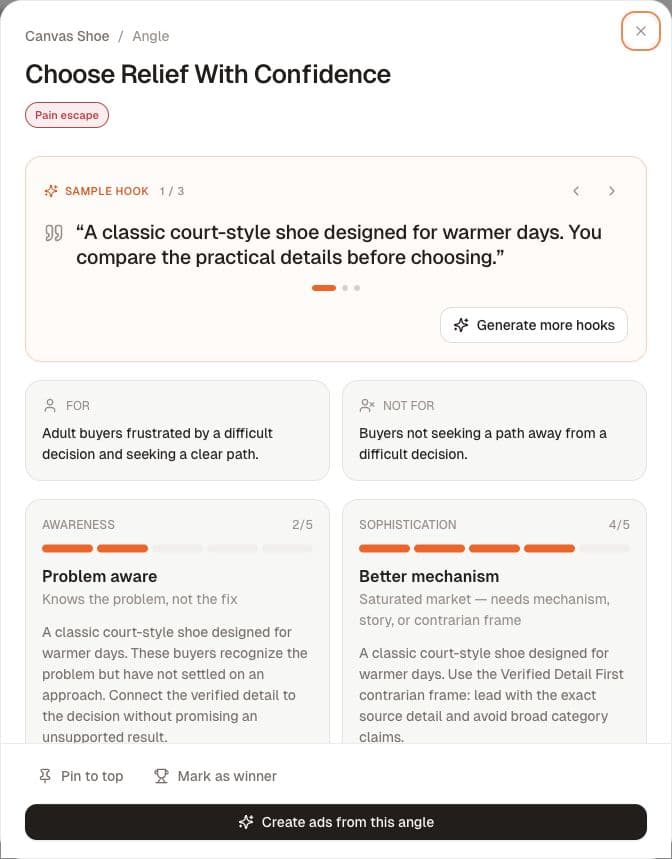
You do not need to master every field before choosing. First ask: Does this describe a customer I want to reach, and can my product honestly deliver the benefit?
Choose a direction you can support
Compare a few angles and choose one with a clear audience, a relevant benefit and claims you can verify. Check any promises about materials, performance, savings, health or results against your own evidence. Edit your underlying product information if it is misleading or incomplete.
For example, a bottle with a carry loop could support an angle about carrying it on a commute. Do not turn that into a claim about keeping drinks cold all day unless you have evidence for it.
You can use Pin to top to keep an angle easy to find. Reserve Mark as winner for an angle you have actually evaluated; generating it does not make it a winner.
Find your work again
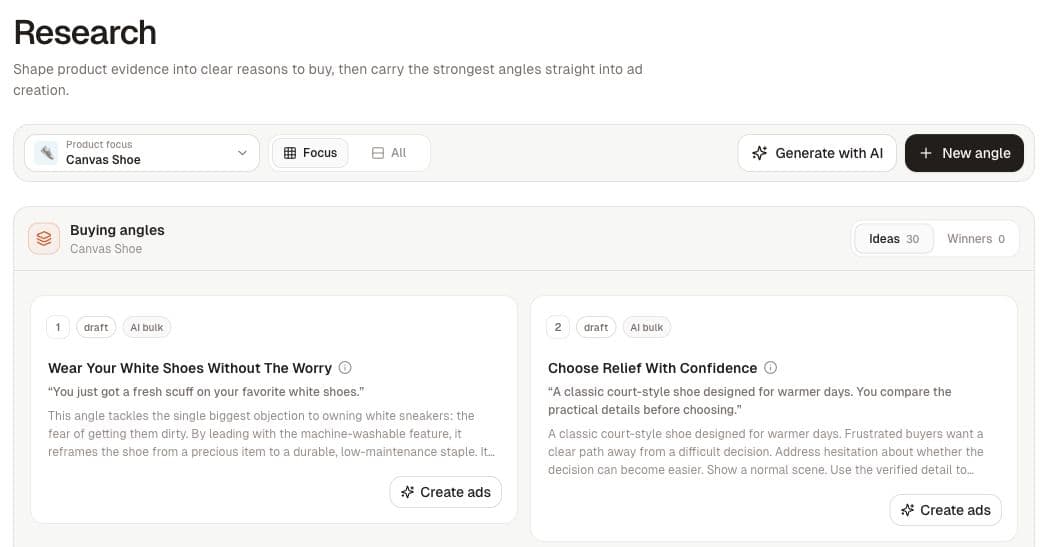
Return to the product's Buying angles, or open Research under Brain to browse the research library. Your generated angles are saved; you do not need to run another batch just to reopen them.
In Research, check Product focus to make sure you are viewing the right product. Ideas and Winners separate your available suggestions from angles marked as winners.
If generation does not complete
Follow the error shown in the app. If credits are insufficient, review your balance. If the source page cannot be read or there is too little usable evidence, improve the product information or source material before retrying. If a run still appears active, avoid starting duplicate requests; reopen the product to check its current state.
Next step
When you have reviewed an angle, Create ads from this angle opens the next workflow. Review the creative and its claims before using it. Detailed ad-creation guidance will follow the updated interface.
Related
Choose an angle for your audience · Read an angle · Work with angles