

Find your way around Sellify
Use Home, Chats, Brain and Create ads to find the next task.
Home is the starting page for the selected workspace. Check the workspace name before adding or generating anything.
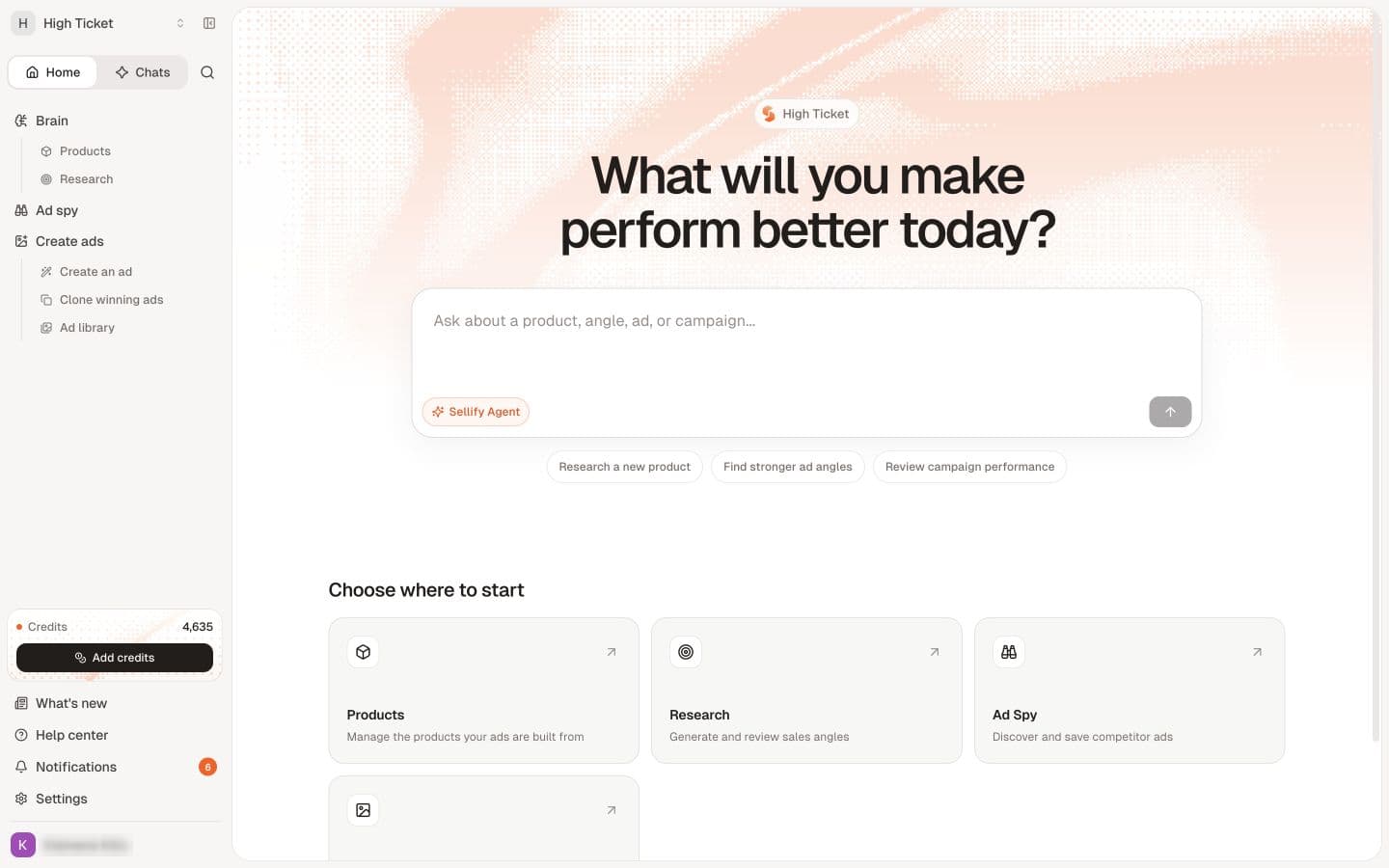
Where to go
| Location | Use it for |
|---|---|
| Home | Starting a task and opening available product areas. |
| Chats | Questions, conversations, chat projects and history. |
| Brain → Products | Product details, images, sources, offers and associated angles. |
| Brain → Research | Browsing and organizing buying angles. |
| Create ads | Creating creative, working from references and finding saved ads. |
| Ad spy | Competitor advertising research when available. |
| Settings | Personal profile and workspace settings. |
The available controls depend on the workspace and your access. Chats shows a conversation sidebar; return to Home to see the product navigation again. A collapsed section may need to be expanded.
Start with a task
For your first visit, follow Start here. If you have a product already, open it and check its saved context before researching another angle. If you only need advice, open Sellify Agent.
Missing work or tools
Check the workspace and whether you are in Home or Chats. If a tool is still missing, review access and permissions. Older videos may show tools or layouts that differ from your current workspace.