

Understand plans, credits and workshop access
Separate a free workshop from software access and the terms assigned to your account.
Sellify is paid software. The September 2026 student workshop is free to attend; software access is a separate offer. Registering for a workshop does not by itself assign a software plan to a workspace.
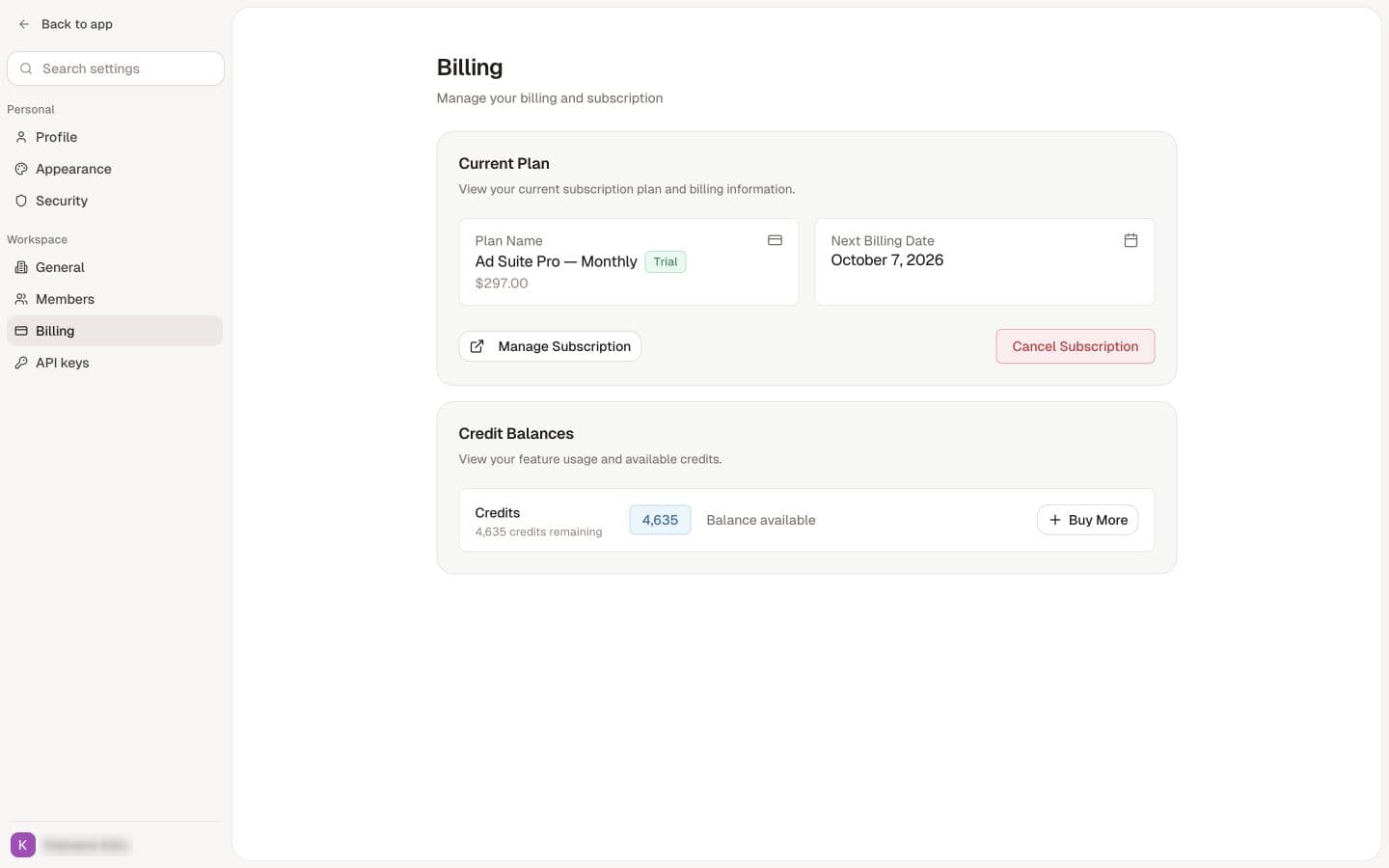
Check what your access includes
Look at the offer or receipt associated with your account and the plan shown in the intended workspace. Included credits, product allowance and renewal terms depend on that arrangement.
Some pilot users may receive a certain amount of free credits. The amount, duration and product allowance depend on the specific offer. The team explains the specific offer and access details in the workshop or your account's offer.
If a workspace has no plan
Confirm that you selected the intended workspace and signed in with the correct account. Ask the owner or team that supplied access to check the assignment. Do not purchase again solely because an existing purchase is not yet reflected in the workspace.
September 2026 student workshop
The workshop is expected to take about one to two hours, depending on questions. It is a live workshop and a recording is not promised. If a recording is made and shared, use the link supplied by the team.
Use the date, time zone and registration instructions in your current invitation. Private workshop links and student-specific access details do not belong in a permanent public help article.
For usage guidance, see Understand credits. For an account mismatch, report the relevant purchase and workspace details, excluding sensitive payment information.