

Prepare and review your first ad
Turn a product and angle into a clear brief, then check whether the creative is usable.
Start with one product, one angle and one clear message. A usable first ad is something you can inspect and test; it does not need to solve your whole marketing strategy.
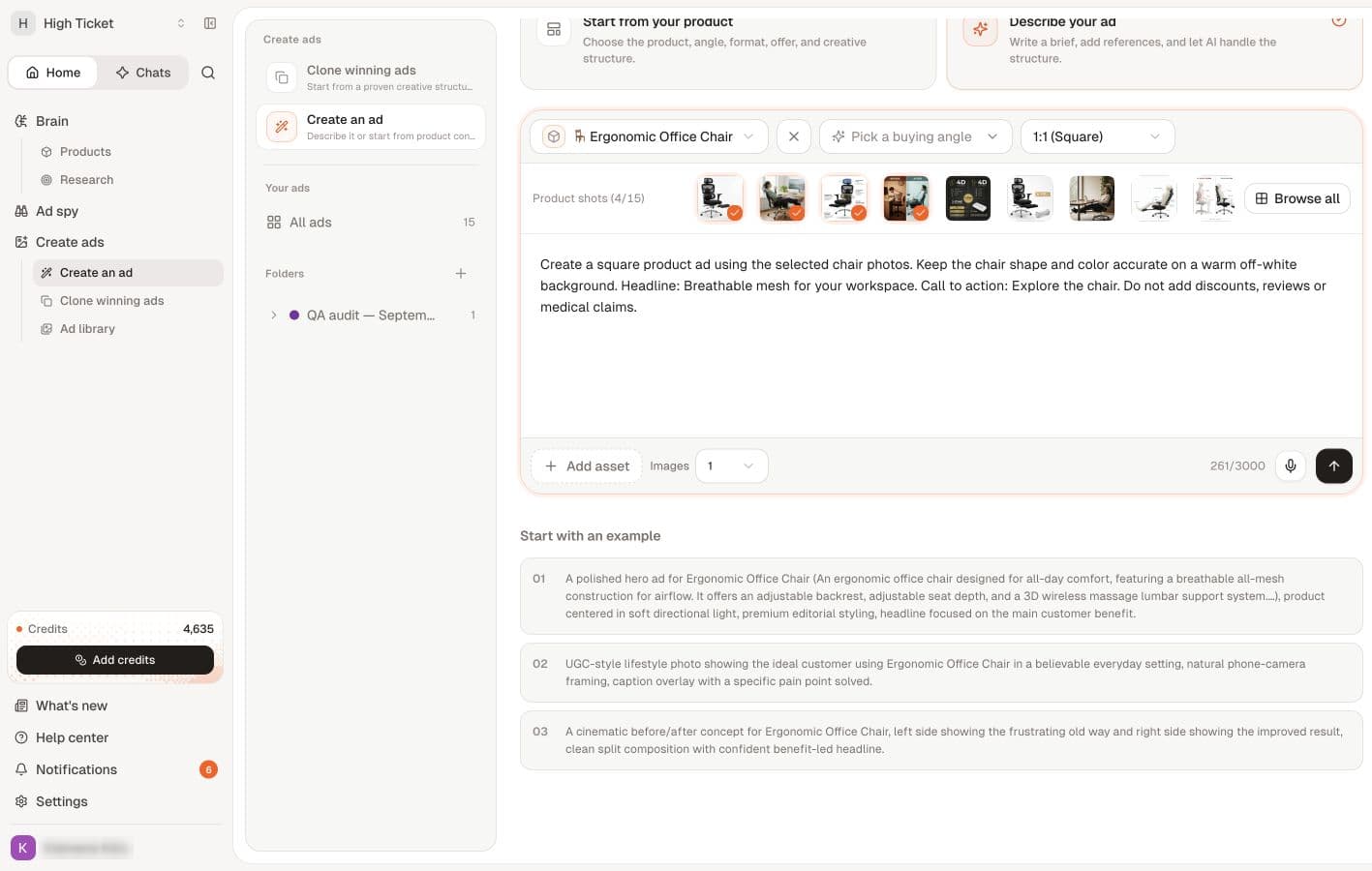
Prepare the brief
| Decision | What to supply |
|---|---|
| Product | The correct saved item and variant, with accurate details. |
| Audience | A specific customer and situation. |
| Angle | One reason that customer might care. |
| Evidence | The product facts supporting the claim. |
| Visual | A product image or direction that represents the item accurately. |
| Offer | Genuine terms, if an offer belongs in this ad. |
| Destination | The page where the customer can understand and buy the product. |
Review your product images, offer and credit balance before starting metered creative work.
Move into the current creative workflow
From an angle, Create ads from this angle leads into creative work. The app also provides Create an ad, Clone winning ads and Ad library under Create ads.
Check the product and angle selected in the current workflow. Treat any proposed hook, product claim or discount as something you must review. Use your own branding and assets, or material you have permission to use.
Review the result
- Product accuracy: right item, variant, packaging and proportions; no invented accessories or features.
- Copy: readable, correctly spelled and clear at the size customers will see.
- Claim support: no invented reviews, test results, guarantees or scarcity.
- Offer match: the ad, product page and checkout agree.
- Visual focus: a customer can tell what is being advertised and why it matters.
- Output: the downloaded asset opens and matches the format you intend to use.
If the result fails a check, correct the relevant input and review a new version. Preserve the original so you can compare what changed. Generating more variations without changing the underlying problem can repeat the same mistake.
Before running an ad
Check that your store and destination work, that the product can be purchased, and that the advertising account is ready. Creating creative in Sellify is separate from configuring a campaign and its budget.
Keep a record of the angle and version you test. Call an idea a winner only when you have evidence from the test, not because the image looks polished.
Return to the beginner checklist or choose a stronger angle.
Continue in the app
Related
Organize ads into folders · Edit an ad · Frequently asked questions